Freehand Drawing Mode ⭐
Freehand Drawing Mode ⭐
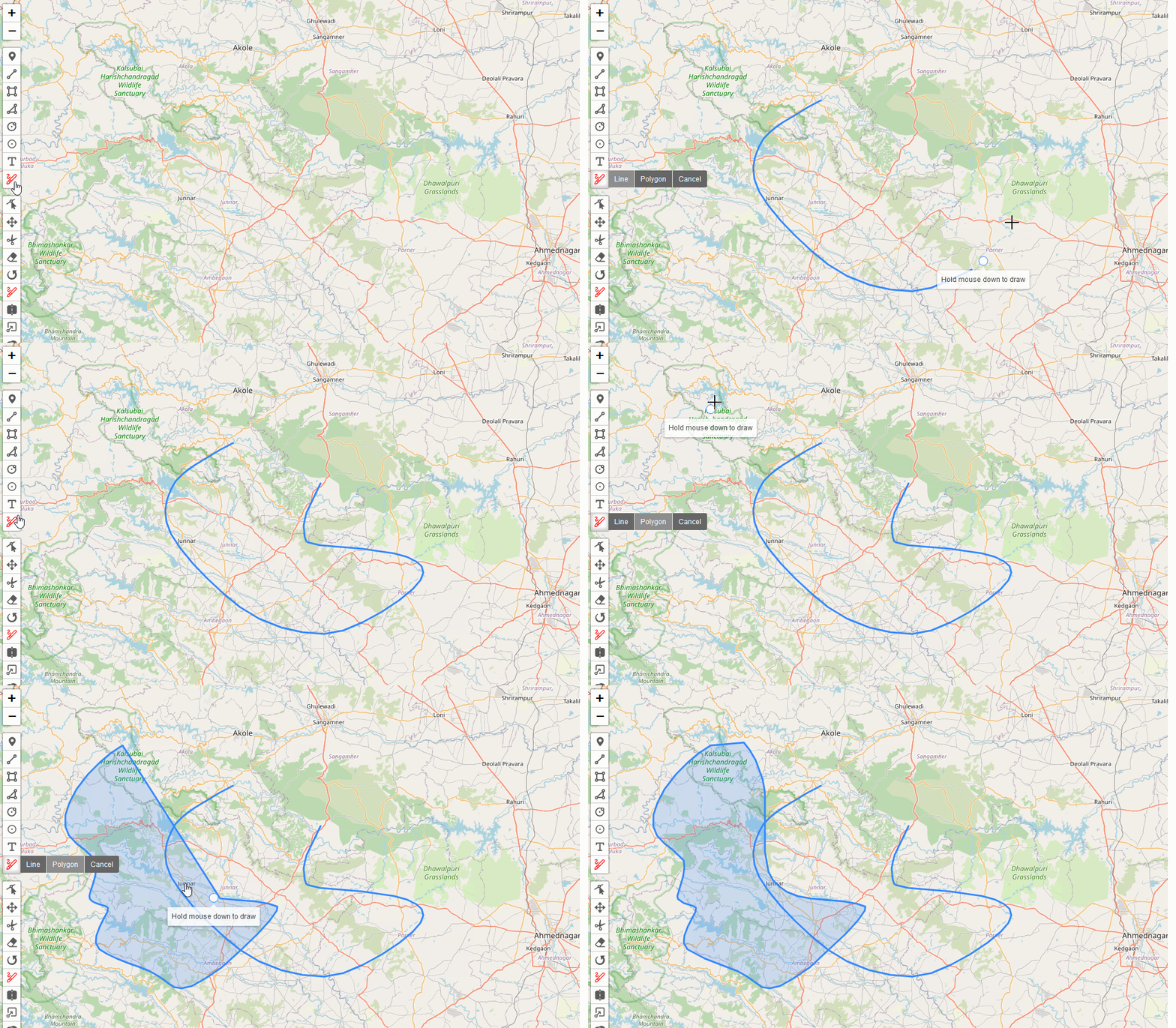
Freehand Drawing Mode allows you to draw polygons or lines on your map using a freehand drawing technique. This feature enables quick and intuitive creation of complex shapes.
You can enable Freehand Drawing Mode on a map like this:
// enable Freehand Drawing Mode
map.pm.enableDraw('Freehand', {
  freehandOptions: {
    fill: true, // for polygons
    // fill: false, // for lines
  }
});

// disable Freehand Drawing Mode
map.pm.disableDraw();
The following methods are available on map.pm:
| Method | Returns | Description |
|---|---|---|
| enableDraw('Freehand', options) | - | Enables Freehand Drawing Mode with optional configuration. |
| disableDraw() | - | Disables Freehand Drawing Mode (and other drawing modes). |
| setPathOptions(options, ignoreShapes) | - | Sets the path options for the drawn shapes. |
Freehand Drawing Options
When enabling Freehand Drawing Mode, you can pass options to configure its behavior:
map.pm.enableDraw('Freehand', {
  freehandOptions: {
    fill: true, // Creates a polygon when true, a line when false
  },
  pathOptions: {
    color: 'red',
    fillColor: 'orange',
    fillOpacity: 0.5,
  },
});
Available options include:
| Option | Values | Description |
|---|---|---|
| freehandOptions | Object | Contains specific options for freehand drawing. { fill: false} |
| - fill | Boolean | When true, creates a polygon; when false, creates a line. |
| pathOptions | Object | Leaflet path options for styling the drawn shape. |
Toolbar Integration
Freehand Drawing Mode can be added to the toolbar:
map.pm.addControls({
  drawFreehand: true,
});
When enabled via the toolbar:
- The default mode draws lines.
- You can switch between line and polygon modes using the toolbar actions.
Events
The following events are available on a map instance:
| Event | Params | Description | Output |
|---|---|---|---|
| pm:drawstart | e | Fired when Freehand Drawing Mode is enabled. | shape, workingLayer |
| pm:drawend | e | Fired when Freehand Drawing Mode is disabled. | shape |
| pm:create | e | Fired when a shape is finished. | shape, layer |
Example Usage
// Enable Freehand Drawing Mode for polygons
map.pm.enableDraw('Freehand', {
  freehandOptions: {
    fill: true,
  },
});

// Listen for created shapes
map.on('pm:create', (e) => {
  console.log('Shape created:', e.shape);
  console.log('Layer:', e.layer);
});

// Programmatically draw a shape
function drawShape(positions) {
  map.fire('pointerdown', { latlng: positions[0] });
  positions.slice(1).forEach(pos => {
    map.fire('pointermove', { latlng: pos });
  });
  map.fire('pointerup', { latlng: positions[positions.length - 1] });
}
Notes
- Freehand Drawing Mode supports both polygon and line creation.
- The fill option in
freehandOptionsdetermines whether a polygon or line is created. - The toolbar provides easy switching between polygon and line modes.
- The drawn shape is added to the map immediately upon completion of the drawing action.
- Path options can be set to style the drawn shapes.
Demo Example
Freehand Drawing Mode can be used to create both polygons and lines. The fill option in freehandOptions determines the shape type. Here are examples of both polygon and line drawing:
Line Drawing:
Polygon Drawing:
Building something complex? Our team can help with architecture and integration. Get in touch →